
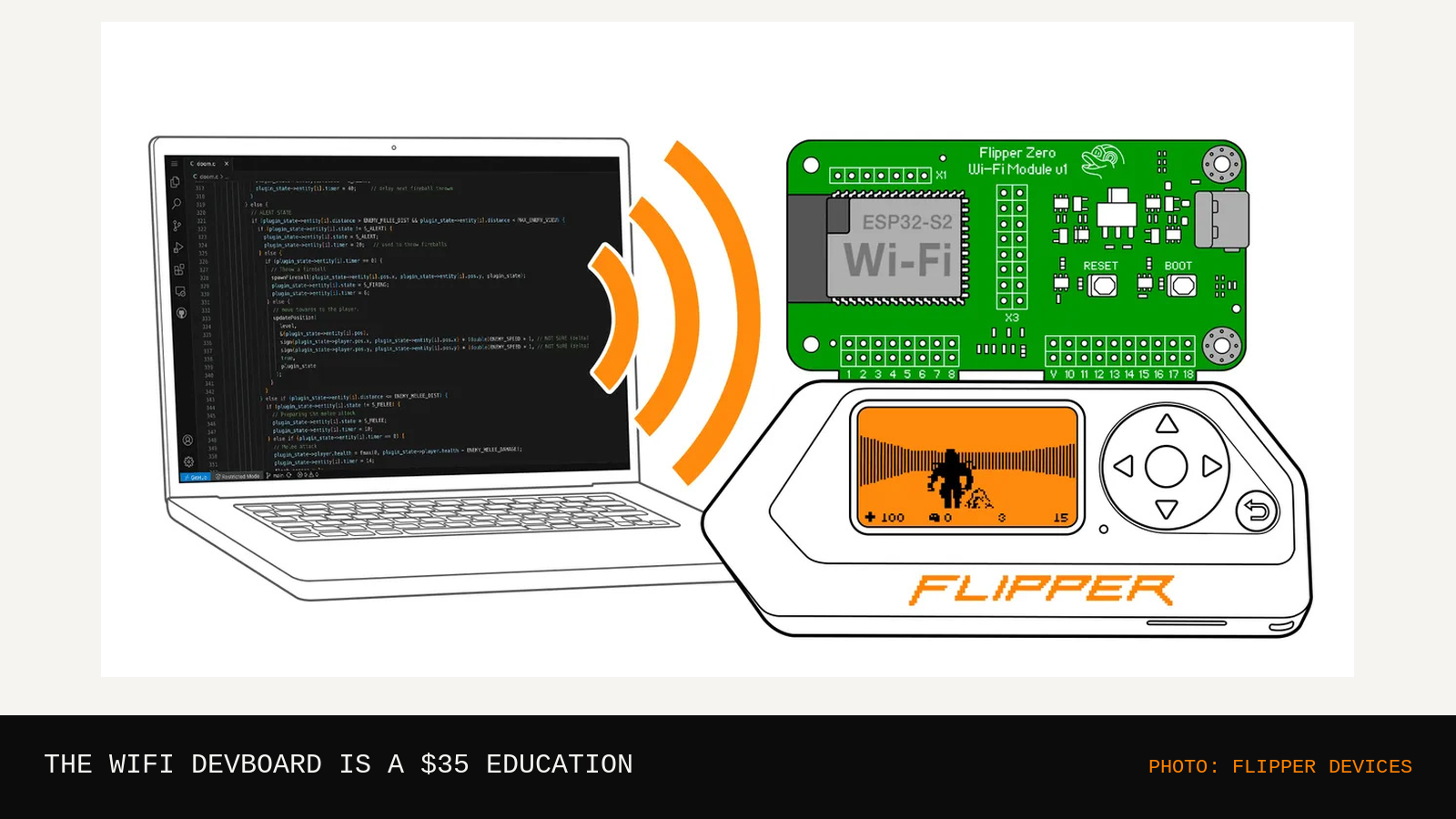
The WiFi DevBoard is a small circuit board that plugs into the GPIO header on top of a Flipper Zero and gives the Flipper a Wi-Fi radio. Inside it sits an ESP32-S2, a chip that costs a few dollars on its own and quietly runs a large share of the connected gadgets in the world. Bolted together, the pair stops being a novelty and starts being a curriculum: firmware flashing, serial consoles, packet captures, and the slow realization that Wi-Fi is radio with paperwork.
01 · WHAT IS ON THE BOARD
| CHIP | ESP32-S2 |
| RADIO | 2.4 GHz Wi-Fi, 802.11 b/g/n |
| CONNECTS | Flipper Zero GPIO header |
| EXTRAS | USB-C, microSD slot, debug header |
The board is the official add-on, made by Flipper Devices, and it wears three hats. It is a Wi-Fi radio for the Flipper. It is a storage target, since the microSD slot gives packet captures somewhere to land. It is also a debug adapter: wired up through its header, it can act as the programmer and debugger for the Flipper itself, which is how firmware developers earn their gray hairs. None of that requires exotic parts. The entire education is in what the board makes you do next.
02 · WHAT IT ACTUALLY TEACHES
Lesson one is flashing firmware. The board arrives with stock firmware, and the first real skill is replacing it: install the tooling, hold the right button, run esptool or a configurator, read the output when it fails. Lesson two is the serial console. Open a terminal, set 115200 baud, and watch the ESP32 narrate its own boot in plain text. Type a command, get an answer. That loop, type and read, is the oldest interface in computing, and this board teaches it in an afternoon.
Lesson three is where most people buy it: Marauder firmware. Marauder turns the board into a Wi-Fi observation tool. It lists access points and the clients talking to them, watches probe requests leak out of phones looking for old networks, and captures traffic to PCAP files you open later in Wireshark. Run it against your own router and abstract ideas become concrete fast. A beacon is a shout ten times a second. A channel is a shared room where everyone talks over everyone else. Encryption is the reason your capture is a wall of noise while your neighbor's open test network reads like a postcard. Every one of those skills transfers directly to network work that people get paid for.
03 · THE LIMITS, PLAINLY
It is not a hacking wand, and the limits are physical. The ESP32-S2 speaks 2.4 GHz only. Five gigahertz networks do not exist as far as this board is concerned, and an increasing share of modern traffic lives up there. The antenna is small, so range is a room and a bit, less through walls. You can capture a WPA handshake and carry it home, but the cracking happens on a real computer, and doing any of it to networks you do not own is illegal in most places, full stop. The tooling is hobbyist grade: firmware versions drift, the Flipper app and the board occasionally stop agreeing, and two forum posts will contradict each other with total confidence. Budget an evening for setup, not ten minutes.
04 · WHO SHOULD SKIP IT
Skip it if you do not own a Flipper Zero and have no plans to get one. The board can run on its own over USB, but at that point a plain ESP32 development board teaches the same lessons for less money and less ceremony. Skip it if you want results without a terminal window, because the terminal window is the product. Skip it, especially, if the networks you are curious about belong to other people. As a lab instrument pointed at your own gear, it is superb. As anything else, it is evidence.
Flash Marauder, capture your own router for one evening, and scroll the PCAP until the packets stop looking like weather and start looking like a conversation.
WHERE TO GET ONE
The WiFi DevBoard is sold by Flipper Devices in its own store: Flipper Devices