
BASIS
Basis: TRMNL's published specifications, shop listing, and developer documentation. Not stocked here, not bench-tested here. Nothing below is a hands-on claim; the price named is the maker's, checked on the date in the buy box.
Every screen in the house wants something from you: a tap, a login, a scroll, a reply. The TRMNL wants a wall outlet twice a year. It is a 7.5-inch e-ink display that shows one picture at a time, a calendar, the weather, a list, a home dashboard, and changes that picture on a schedule you set. There is nothing to open and nothing to dismiss. The interesting question is how a device this passive stays useful, and the answer is that the device does almost none of the work.
01 · THE HARDWARE, HONESTLY
| SCREEN | 7.5 in ePaper, 800 x 480, 4 grayscale levels, fast refresh for an e-ink panel; no backlight |
| CHIP | ESP32 microcontroller with 2.4 GHz Wi-Fi; the device renders nothing itself |
| BATTERY | 1800 mAh, rated by the maker at 2 to 6 months per charge depending on refresh interval; a 2500 mAh cell is a $10 add-on |
| INPUT | None for the reader. No touchscreen, no keyboard; a power switch and a refresh button on the back |
| CASE | Soft-touch ABS with a chrome-plated steel kickstand; several colors at the same price, limited editions cost more |
| PRICE | $139 from the maker, no subscription required; USB-C charging, cable sold separately |
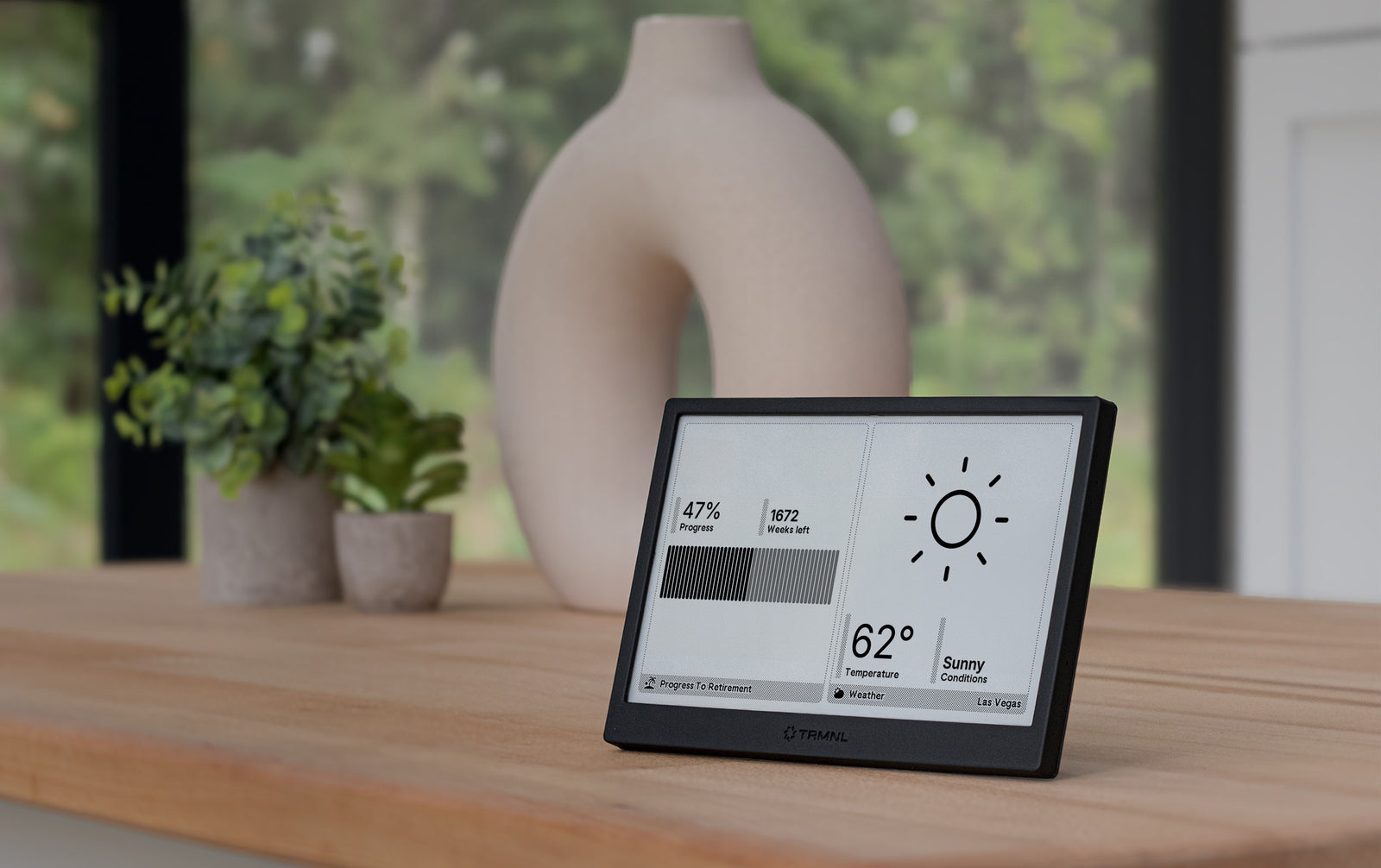
FIG. A · THE OG ON A COUNTER, RUNNING A TWO-PANEL MASHUP. PHOTO: TRMNL.
Read the table as a list of refusals. The chip is a microcontroller, the class of processor that runs a washing machine, because the device never renders a page or runs an app. The screen holds its image with no power at all, which is the e-ink property the whole product is built on. What you are buying is a frame, a radio, and a battery, each kept as small as its job allows.
02 · THE SERVER DOES THE WORK
The device wakes on a timer, joins Wi-Fi, and asks a server one question: what should I show? The server answers with a link to a finished image and a number of seconds to sleep. The TRMNL downloads the picture, redraws the panel, and goes back to deep sleep until the timer fires again. All of the thinking happens on the server side, where plugins, small templates fed by calendars, weather services, to-do apps, and home systems, get rendered into the 800 by 480 bitmap the panel can hold.
Two consequences follow. The traffic runs one way: the device only ever calls out, so nothing on the internet can reach into your network through it, which the maker states as a design goal. And the refresh interval is the master dial for the whole product. Ask every fifteen minutes and the battery is a two-month battery. Ask once an hour and the same battery lasts a season. The data most people put on a wall changes a few times a day, so the honest setting is usually the slow one.
03 · WHAT ASKS ALMOST NOTHING GETS USED
The jobs that fit are glance jobs. The family calendar by the door. The weather before shoes go on. A transit departure, a grocery list, a server health panel in the office. Information you want in your head without opening a phone and meeting the phone's other demands on the way. The library holds more than a thousand plugins, and playlists rotate several screens through the day, so the calendar can give way to a photo at dinner without anyone touching anything.
The second half of the appeal is the exit. The firmware is open source, the server can be self-hosted, and the maker publishes an unbrickable pledge: if the company disappeared, the screen on your wall keeps working against a server of your own. Dashboards usually die with their vendor's cloud. This one ships with the means to outlive its maker, and says so up front.
04 · THE LIMITS, PLAINLY
You cannot touch it. There is no tapping a calendar entry open, no checking a box on the list, no answering anything. It is a picture that updates, and every interaction you imagine doing with it happens somewhere else, on a phone or a computer.
The picture updates slowly by design. A redraw takes seconds and flashes as it clears, and the interval between redraws is measured in minutes at the tightest. Anything live, a chat, a score ticking up, a doorbell feed, is a category error here.
Four grays and no backlight bound the rest. Text and simple charts read cleanly. Photographs dither into a gray mush that flatters nobody, and in a dark room the panel shows nothing at all, like the paper it imitates.
The server dependency is real even with the exit provided. Out of the box the device talks to the maker's cloud, and private plugins fed by your own data are where the maker's developer upsell lives. Self-hosting removes the dependency and the upsell together, at the price of running one more small service. And the $139 box contains a case opener but not the USB-C cable the device charges with, a petty saving on a product that otherwise sweats the details.
Buy it for information that changes a few times a day and earns wall space by being seen in passing. If the information needs answering, scrolling, or watching, buy a tablet and accept the charger. For the smaller set of facts that should simply be present, this screen at $139 has very little competition.
The closest relative in these notes is another screen that shows one thing and waits: A Pixel Clock Is a Notification You Can Ignore Politely.
WHERE TO GET ONE
TRMNL sells the OG direct from its own shop. Price is $139, checked 2026-11-24, with free shipping in the USA and Europe per the listing, and no subscription required to use the device. Colors and limited editions vary in stock, and the limited editions cost more. This shop does not stock it.